Wednesday, April 18, 2012

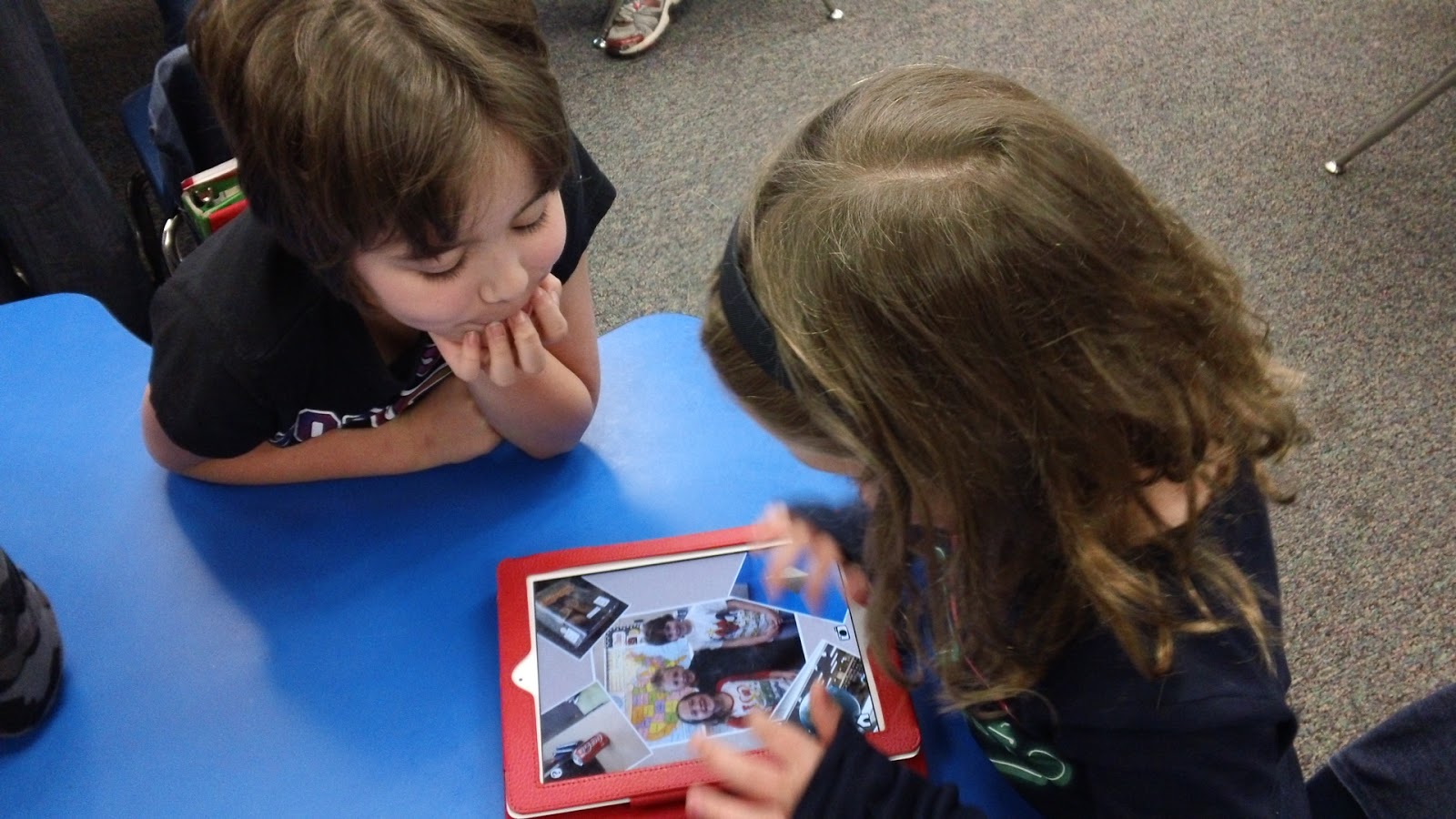
Today we worked on telling addition number stories using money. We put a technology twist on this lesson with great results. Each group of 3 worked on an iPad using an app called DoodleBuddy.(Individuially or groups of 2 would have been ideal, but we aren't fortunate enough to have that many iPads)
Each group member went into the the stampers and chose an item that they wanted to purchase and stamped it on their screen. They then saved their group picture to the Photo Album of the iPad. Next, students opened up an app called Educreations, which is basically an interactive whiteboard, and imported their picture from the Photo Album. 
Next students each chose a money card which had various coins on it. We grouped them into easy, normal, and challenging so we could modify for all of our learners. Students then counted the coins on their card and then wrote that amount next to their item.
After they completed this step they needed to work as a group to create a number story that would work with their items and record it using the app. 
Once everyone was done, each group presented their stories to the class using their iPad. The stories were fantastic- lots of creativity and the learning was right on target. The groups were so engaged that many of them actually had time to create 2, 3, or 4 different number stories! All in all I would say the entire process including modeling took us 35-45 minutes.

Tuesday, April 3, 2012

Autism Awareness Month

April is Autism Awareness Month and Kindergarten.com is again offering many of their iPhone/iPad apps for FREE during the entire month of April. These are fantastic apps that use Applied Behavioral Analysis (ABA) to teach academic, language, and communication skills to children with special needs or developmental delays. These apps are not just for children with special needs; they have also been successfully used with typical children of all ages and populations. I have personally used some of these apps with my son and had great success with them. Thank you Kindergarten.com for your generosity and for all of your great apps!

The free apps include:
Another great resource is  the Technology in (SPL) Education Facebook page. This website collects and distributes tools, hardware, and applications available for the enhancement off technology in education with a special emphasis on Special Education. This has been a great site to watch for price drops and apps gone free over the past few days.
Yesterday for example in honor of World Autism Awareness Day, I was able to get the normally priced $49 Autism Track app for FREE. AWESOME! I am excited to learn how to use it and collaborate with my spec. ed. teacher in using it in our classroom next year!

Friday, March 30, 2012

3D Shape Hunt

This past week we spent several days learning about 3D shapes as part of our Geometry unit math. In past years I have found that students love this unit and there are many opportunities for hands-on learning when learning about polygons, symmetry and 3D shapes. This year I wanted to add a bit of a tech twist for my class by incorporating the use of our iPads. 
In our current math series, there isn't much time spent on 3D shapes short of learning their names and characteristics- most of which is spent looking at wooden representations of these shapes or pictures in our math journal (boring!). So to spice things up a bit and make our learning more real-world, we went on a 3D shape hunt using the cameras on our iPads to find and photograph real-life examples of 3D shapes. Students worked in groups of three (we only have 5 iPads available to us) and had a check list of the shapes we had studied. 

The next day, I introduced them to the FREE app, Pic Collage. I spent about 10 minutes going through the important aspects of using this app as well as my expectations for their finished product. We discussed how to bring their pics into the app, how to move them around and resize them and how to insert text. Students then worked with their teams to import all of their pictures, label each one with the correct shape name, and then experiment with changing the background. Once they were happy with their creations, they emailed my their finished product to add to our classroom blog. With any extra time they had left, they were able to further explore the app and how to crop pictures, change the font and color, etc.
Here are some examples of our finished projects. THe kids had a blast while also showcasing what they had learned in a very hands-on and engaging way!


Wednesday, March 7, 2012

Do you believe in leprechauns?

We had a wee bit of fun in math today with our learning targets (I will collect data. I will create a bar graph). We started by enjoying the story, The Luckiest Leprechaun: A Tail-Wagging Tale of Friendship. After reading the story, we talked just a wee bit about leprechauns and then I introduced our targets for the day along with our data collecting sheet .


Our question for the day was: "Do you believe in leprechauns? Yes? No? or Maybe?" We started by asking everyone in our class and recording their information.


Our data was interesting and we found out that more of us believed in leprechauns than not. We were curious however if that would hold true if we asked others so each kiddo thought of someone in the building that they wanted to interview. Partners then headed off together to interview their people. 


When everyone returned, we talked about the next step which was to create a bar graph of our information. We then analyzed our data and again discovered that most people believed in leprechauns. We also dug into our data a bit more and found the differences between our data. Some student's graphs showed that 9 more people believed in leprechauns than not.

This activity was a great way for my students to not only apply their mathematical thinking but for them to also incorporate skills such as interviewing, speaking loudly and clearly, working with a partner and several others.

Saturday, March 3, 2012

A Seusstastic Idea...


I meant to post this idea earlier in the week but ended up with a sinus infection which got the best of me this week. I even missed Dr. Seuss' birthday on Friday as I ended up at the dr. So... this lesson isn't kid-tested yet but hopefully will go over well a couple of days late on Monday. So here's what we are up to...

We are going to start by watching The Cat in the Hat book using the iPad app on the Smartboard by using my VGA cable. We'll then talk about the book and what we would do if Thing 1 and Thing 2 came to our homes.


I found the perfect paper from Mel D's blog, Seusstastic Classroom Inspirations which we will use to write our ideas. (I can't wait to see what the kids come up with) She has a great craftivity to go along with it located on this post all for free.

I'm not planning to do the accompanying craft as we are going to do something a bit different and incorporate a bit of technology by using another iPad app called,
This app has 16 backgrounds to choose from all based on Dr Seuss' artwork. There are several backgrounds from The Cat in the Hat and two in particular of Thing 1 and Thing 2. My kids will pick one of those 2 and then have a friend take their picture which they will insert into the face hole on their background. (You can also use pics from your photo library)


Once they've done this, they can move, rotate, and scale their photo to fit how they want it and then put finishing touches to their picture by adding crazy borders and stamps. Most of the backgrounds also have text on them already, but you can toggle it off like I've done on my sample. (Thing 1 with a mustache...hmm... maybe not!)

Next, each kiddo will save their masterpiece to the photo library (in case of glitches) as well as email it directly to me and their and family. We'll then print off our images and attach them to our stories and display them in the hall.
We may even embed our pics into our KidBlogs as well... we'll see how this part of the project goes first

I forgot to mention that all of the Dr. Suess apps listed above and many more are on sale this week in honor of  Dr. Seuss' birthday

**UPDATE**
This project turned out well. Kids enjoyed it, their ideas were a bit zany, and their "Thing" pics turned out adorable!

Tuesday, February 28, 2012

Sock Puppets

Today my kiddos used the Sock Puppets app to practice their spelling words. It was a huge hit minus a few glitches.
I started out by showing the kiddos how to maneuver around the app and showed them a few of the "extras" (showing them how to make their puppets larger and smaller, etc) We also talked about how to use the tack microphones to do the recording since our 2nd gen iPods don't have a built-in mic. I also showed them how to title and save their creation. All in all, everything took us about 10 minutes and then I let them do their own exploring to figure out the app. I was amazed at how well they did and how fluid they were with saving their creations after just walking through it one time. It is obvious that the more we do, the easier the process gets for my kiddos no matter which app we use and how it may differ a little in the process for saving/sending.

We did have quite a few glitches this morning which was frustrating as one of my kiddos dubbed the back table "The glitch table" which had 5-6 kiddos huddled around it, all with glitches that they could not solve, nor could I in a few cases. Still not sure if it was the iPods being older or the app itself as we also ran into a few glitches on the new iPads, however, the iPads were easily solved by double clicking on the home button and then pressing the minus sign to close out the app. When relaunching, all of the iPads were up and running again. Despite that fix, it is still more than I would expect a first grader to do or know so I'm off to do some research on why this is happening in hopes that we can be more successful next time as I am planning several different project that we can use Sock Puppets for.
I am also looking into how I can set up a YouTube channel to upload their pics to the web so we can embed them onto our blog or our KidBlogs for others to also enjoy. We often talk about how it's important and fun to be able to share your work when you've worked so hard to make it. Granted there are times when we don't always want to share, but my kiddos want to more than not and enjoy the feedback that they get when they put their work out there for others.


So... in summary.... I love sock puppets but not the glitches! Fingers crossed for next time.


Anyone else using Sock Puppets? Have you encountered glitches???