Showing posts with label Dr Seuss. Show all posts

Monday, March 23, 2020

Remote Learning, Choice Boards and Seesaw

With so many of us moving to remote learning, you many find yourself in the position of needing to offer your students choice in a different format. Choice boards if you've not heard of them are graphic organizers that are comprised of different squares, each with a different activity. Each activity helps students to learn or practice a concept while allowing choice. You can ask your students to complete 1 or several of the activities and they can complete them in an organized fashion or in random order. I guess there's a reason that they're call choice boards! 

Lmao
Here is a choice board that I created for Read Across America week that may be a useful extra in our new, ever-changing learning landscape. These are great when uploaded to Seesaw.
For the links to be live, the board which is saved as a pdf, needs to be uploaded as a file, NOT as a link. You'll need to download this file first (click the image to access the file) Nexrt, watch the embedded video below for directions on how to make it work in Seesaw.

Click the image to download a copy of this board.

Thursday, June 27, 2019

DIY Truffula Trees


Oh, how I love summer and the extra time I have to be crafty and create things for the school year. 

I've wanted to jazz up our library space for Dr. Seuss' birthday for the past couple of years, but it always sneaks up on me and I run out of time. Not this year, I'm planning ahead and creating my Truffula trees now so I'll be prepared. 

If you're interested, here's how I made mine.


To make the trunks...
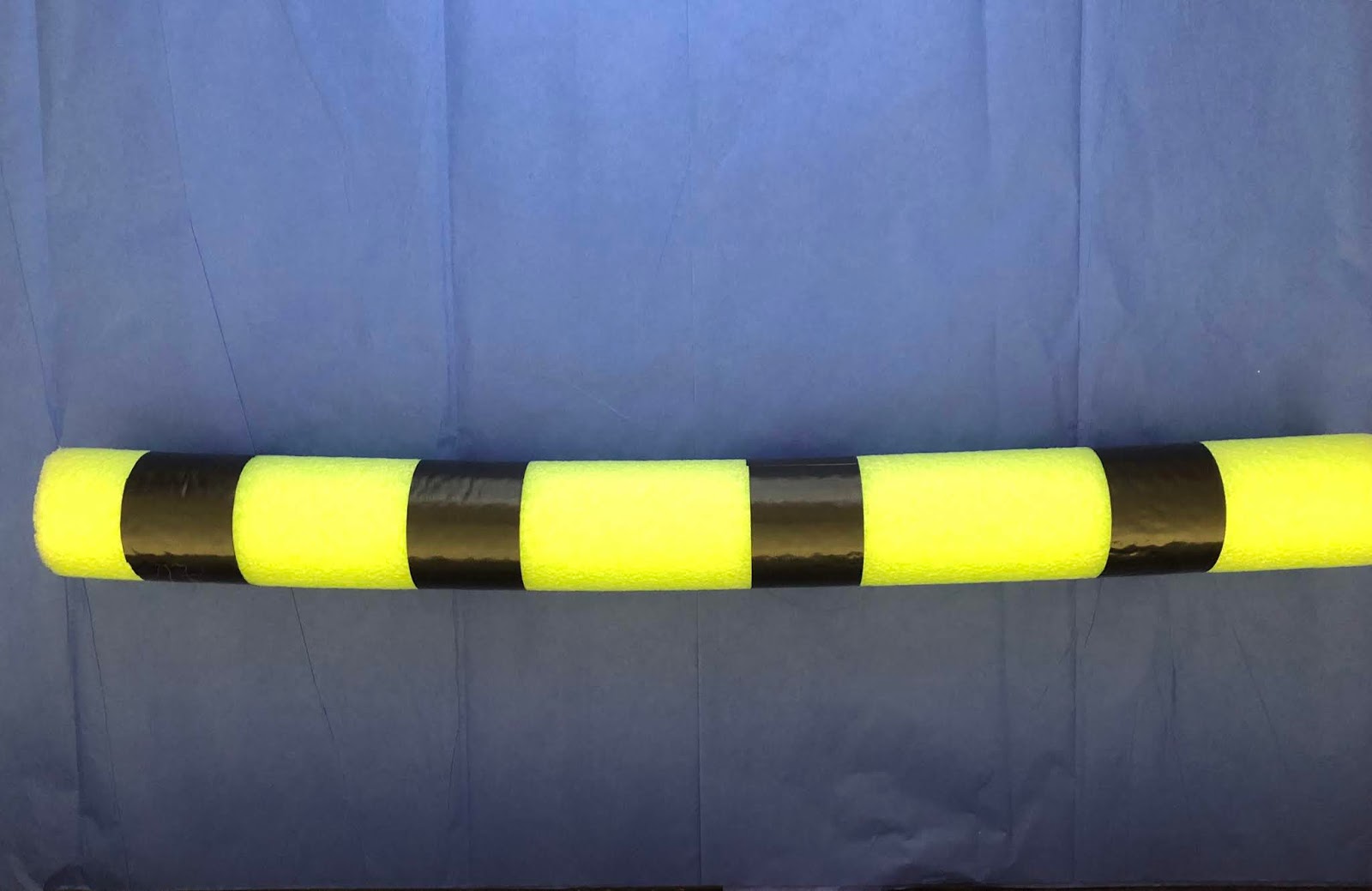
Cut pieces of black Duck tape and wrap around the pool noodle. 
Tip: Don't add the last stripe of Duck tape until after you attach the pom pom

I left some of my trunks as a full-sized pool noodles and cut others in half to create different sizes.


 To make the pom poms...
The EZ PZ way~ purchase premade, 12" diameter tissue pompons from The Dollar Store. These are a bit smaller and look nice on a half-sized pool noodle. The purple and red trees in the picture below are made with the store bought pom poms.

To make your own~ purchase colored tissue paper and follow these directions from Martha Stewart.com


The large pink tree in the picture below is a DIY pom pom. I used the tissue paper sheets exactly as they come from the Dollar Store (20 x 20" sheets) and used 10 sheets to create each tree top.


How to attach your pom pom to your Truffula trunk


And here's the finished product~
I love how these turned out and they didn't take all that long to make. I personally like the way the DIY pom poms turned out as they are fuller looking and seem to lay and fluff nicer.

Sunday, February 25, 2018

Tech Bytes~ Feb 26

Is your class taking part in Read Across America Week or celebrating Dr. Seuss' birthday? If so, there are several resources this week that you may find helpful in this week's Tech Bytes newsletter. Don't forget about the Read Across America Flipgrid resource that was highlighted last week as well~  https://flipgrid.com/drseussbirthday

Malchow's Tech Bytes~ Feb 26th

One of my long time favorite apps is Padlet. If you follow them on Twitter, you probably already know of all the fantastic new upgrades that have recently been released. If you haven't heard about these new features, you definitely need to take a peek! Lots of great new features that will make this tool even more accessible for our youngest learners and provide a variety of on board tools for all grade levels!


Friday, February 23, 2018

Flippin' for Read Across America 📚

I ❤️❤️ finding and creating opportunities for students to connect and share their learning outside of the 4 walls of their classrooms! This year for Read Across America week I've put together a Flipgrid that has multiple topics to give each of your students a place to share their ideas and learn together. If you're looking for an opportunity to amplify your students' voices and have them share their love of reading and Dr. Seuss books, then please come and take a looksie! 

If you've never used Flipgrid, let me be the first to tell you that it is SUPER easy for students to use and I've used it successfully with both kindergartners and 1st graders! So if you've ever wanted to try Flipgrid here's your chance!  https://flipgrid.com/drseussbirthday. I'd love to have you join in and connect with us and others!


Here's a link to download a copy of this image so you can print and post it in your classroom. 
Simply have your students open the Flipgrid app and san the QR code shown with the built in QR Reader OR have them enter the Flip Code: drseussbirthday

Sunday, February 18, 2018

Tech Bytes! Feb 19-23

Hard to believe that February is wrapping up and march is just around the corner which means, Read Across America Week! Believe it or not, March 2nd is NEXT Friday- YIKES! You'll find several ideas this week that you may find helpful as you plan your week!
Malchow's Tech Bytes- Feb 19-23

Here's a Seesaw Activity to also go along with Read Across America week and Dr. Seuss' Birthday

Wednesday, April 25, 2012

In celebration of Earth Day we read The Lorax by Dr. Seuss. Then the entire 1st grade divided up into different groups to complete 1 piece of the bulletin board you see above. Each group represented 1 of the animals in the story.They also created a speech bubble to tell how we could help to keep our planet clean or how we could help preserve the habitats of their specific character.
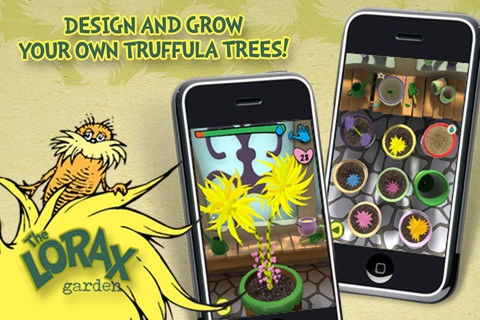
My kiddos also worked on the app, The Lorax Garden, which was free for Earth Day but is now 99 cents. In this app, students help the Lorax regrow the Truffula Tree forest. This was a great tie-in with our current science unit on Organisms as we had recently planted seeds in our classroom. Students are checking on their virtual gardens first thing every morning and before recess to continue to water them and watch them grow.

Saturday, March 3, 2012

A Seusstastic Idea...


I meant to post this idea earlier in the week but ended up with a sinus infection which got the best of me this week. I even missed Dr. Seuss' birthday on Friday as I ended up at the dr. So... this lesson isn't kid-tested yet but hopefully will go over well a couple of days late on Monday. So here's what we are up to...

We are going to start by watching The Cat in the Hat book using the iPad app on the Smartboard by using my VGA cable. We'll then talk about the book and what we would do if Thing 1 and Thing 2 came to our homes.


I found the perfect paper from Mel D's blog, Seusstastic Classroom Inspirations which we will use to write our ideas. (I can't wait to see what the kids come up with) She has a great craftivity to go along with it located on this post all for free.

I'm not planning to do the accompanying craft as we are going to do something a bit different and incorporate a bit of technology by using another iPad app called,
This app has 16 backgrounds to choose from all based on Dr Seuss' artwork. There are several backgrounds from The Cat in the Hat and two in particular of Thing 1 and Thing 2. My kids will pick one of those 2 and then have a friend take their picture which they will insert into the face hole on their background. (You can also use pics from your photo library)


Once they've done this, they can move, rotate, and scale their photo to fit how they want it and then put finishing touches to their picture by adding crazy borders and stamps. Most of the backgrounds also have text on them already, but you can toggle it off like I've done on my sample. (Thing 1 with a mustache...hmm... maybe not!)

Next, each kiddo will save their masterpiece to the photo library (in case of glitches) as well as email it directly to me and their and family. We'll then print off our images and attach them to our stories and display them in the hall.
We may even embed our pics into our KidBlogs as well... we'll see how this part of the project goes first

I forgot to mention that all of the Dr. Suess apps listed above and many more are on sale this week in honor of  Dr. Seuss' birthday

**UPDATE**
This project turned out well. Kids enjoyed it, their ideas were a bit zany, and their "Thing" pics turned out adorable!

Wednesday, March 2, 2011

Happy Birthday Dr. Seuss!

Dr. Seuss went tech this week. This week our school had a door decorating contest for Dr. Seuss' birthday. Our door was inspired by the story, I Can Read With My Eyes Shut. After reading the story, students were shown how to use digital cameras (the timing for this was perfect as I have several projects in the coming weeks that will integrate camera usage). Students then worked in groups of three to take digital pictures of each other- the hitch was, students shut their eyes for their picture.  The collaboration and problem solving skills that were exhibited by each group were fantastic and their pictures turned out silly and wonderful. Once the pictures were printed, students cut out their head shot, colored a Dr. Seuss hat and glued it to their picture. They then created a Dr. Seuss book to attach to their project so it looked as if they were reading. Next year, I'm planning to read Dr. Seuss books well in advance of the project so that the kids can choose their personal favorite for their book and also write about why it is their favorite. Unfortunately, we just ran out of time for that piece this year.
Next week as we wrap up our unit on 3D shapes, we will use the digital cameras to go on a 3D shape hunt. Students will work in groups of 3 to find and photograph real life examples of cones, pyramids, spheres, etc. Once the pics are downloaded, cooperative groups will write about their pics and create a book that they will share with the class. I'm still debating if we will do our books digitally or on paper due to time constraints.
How about you? Anyone have any other great lessons that they incorporate digital cameras into? Would love to hear from you!