Friday, February 25, 2011

Keyboarding

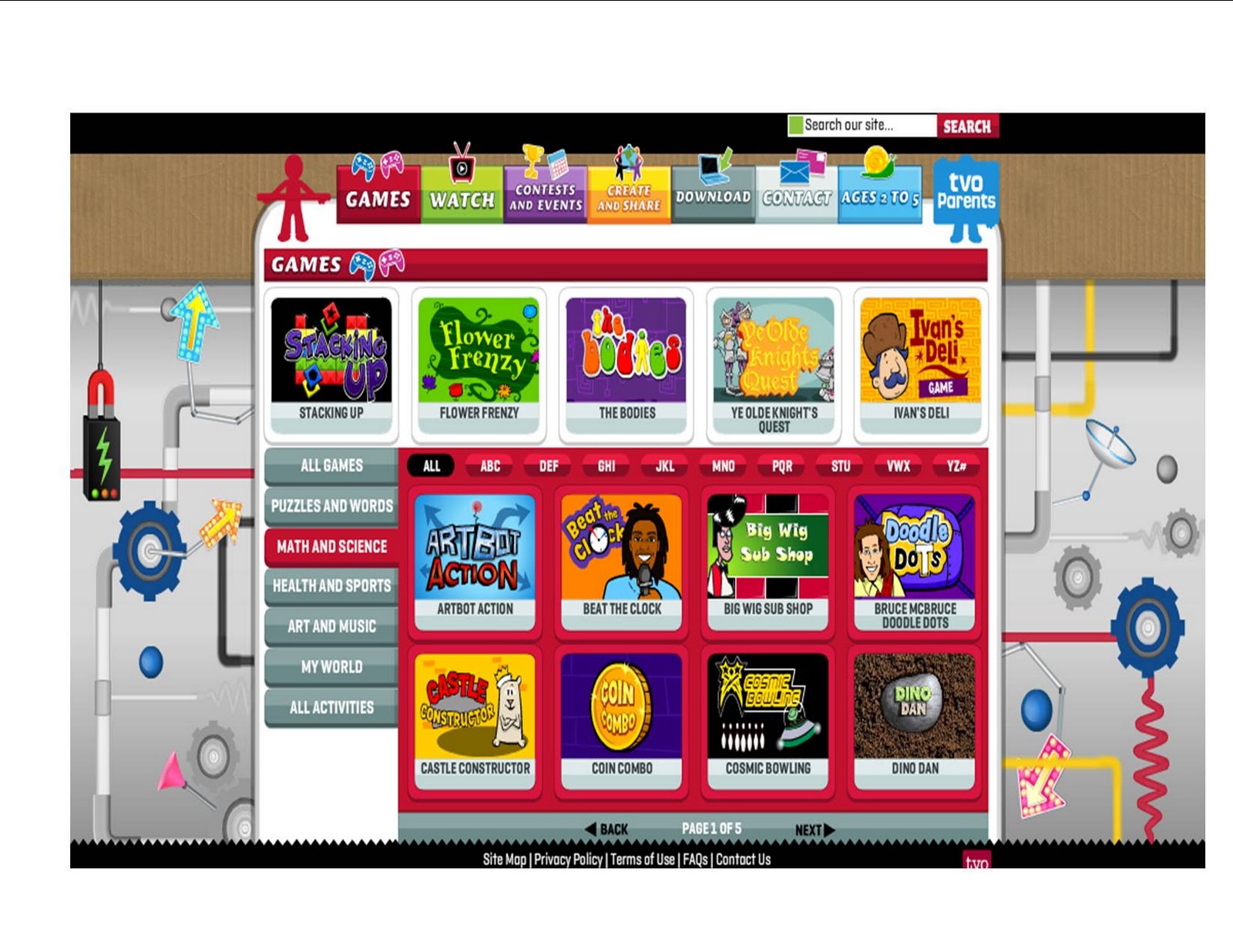
Here's a game, Keyboad Climber, 
that I have used with both 1st and 2nd graders to help them with letter location and hand placement on the keyboard. 

To play the game, students need to help the monkey jump from tree to tree by typing in the letter shown on each tree. If the tree is on the right, they should use their right hand and if the letter is on the left, the should use their left hand. If they press the wrong letter, the monkey drops back down to the bottom and you start again. The monkey also goes back to the beginning if you take too long to find the correct key.

There are several levels which keeps the kids interested as they go. My kids loved level 3 when the monkey is in space and is wearing a space helmet. 

The main site, http://www.tvokids.com/ has lots of other fun things to explore as well, including math and science games, arts and music, puzzles and games, and more.
Monday, February 21, 2011

Wow and Thank you!


WoW!!! I am totally amazed at how many hits my blog has received since starting it the end of January. I never imagined in a million years that I'd have just shy of 1000 hits in only a month, over 20 followers, and people checking in from around the world.
Thank you everyone!

I am soooo enjoying blogging as an avenue to share with others in addition to reflecting on my own teaching. I have had numerous comments from parents at parent-teacher conferences over the past week about our classroom blog as well. For anyone who does not have a classroom blog, I highly encourage you to give it a try. You can honestly have a blog up and running in less than a half hour and posting is a breeze! It truly gives parents a new perspective of what goes on in their child's classroom that a traditional newsletter just can't quite portray.

I hope that you will continue to check in, leave comments, and pass this blog along to others!
Have a fantastic week!!!!

Sunday, February 20, 2011

Harvey's Homepage

SMARTboard users that teach math will LOVE this site!

For those of you who have SMARTboards, this is definitely a site that you will want to check out. 
http://harveyshomepage.com/Harveys_Homepage/Welcome.html. 


This is a site that is chuck full of math lessons for the SMARTboard. My personal favorite is The Function Man file. For those of you that teach Everyday Math this file is a wonderful resource. I know that the function machine is used in both 1st and 2nd grade. The best part about this file is that Harvey Almarode, the author, also explains how to make your own using the trickery involved in the file. My kiddos went absolutely crazy for this lesson and were in total awe trying to figure out "the magic". Needless to say, they really paid attention and picked up on the concept fairly well.
3rd grade EM teachers, you'll love that he has a lattice method multiplication file!!!

 There are lessons in 7 areas on his website: 

  1. number sense
  2. computation estimation 
  3. Patterns, algebra, and functions
  4. geometry
  5. measurement
  6. probability, statistics
  7. Utilities
The utilities section has files on creating your own spinners, jeopardy games, and pre-done manipulatives. 
All of his files are creative and engaging, and best yet- FREE!

One thing to note regarding this site- it loads extremely slowly in Internet Explorer. I use Google Chrome without any issues. The website itself recommends using Firefox.

Have fun exploring!

Tuesday, February 15, 2011

25 sites in 50 minutes

For those who follow this blog or check in regularly, my colleague Tracy and I presented a workshop during our district inservice titled, "25 sites in 50 minutes". We talked about all of the sites listed below.
At the bottom of this post I have embedded a Lino wall for you to share great sites that you use or can't live without. Please add your "can't live without 'em" sites to our wall. Enjoy the following links- hopefully you will find something new that you can use as well! If you have any comments about the sites listed, please feel free to leave a comment!

Teacher Resources
Smilebox
Shwup
Voki/ Monkey Business
proteacher.net
Teacher Tipster

Interactive, online kid sites
Giggle Poetry
Letter Generator
Mad Libs Junior
Digital Storytelling

Now it's your turn- what are some of the great sites that you use that you can't live without. Please add them to a sticky note for all of us to learn from each other. Just put your mouse on the blue "Share your favorite site" bar and pull down a sticky note of your choice.


To see others' posts, grab and slide the background up, down, left, or right. You can also hover over the blue tab on the bottom right which will slide out and show you where the various posts are located on the wall. Also, if leaving a link, in order for it to be clickable link, you will need to use the http:// address.

Thursday, February 10, 2011

Sqworl Bookmarking Site


Screen shot of Sqworl page
Ok, this is my new favorite site and late night addiction. I love this site for bookmarking my frequently visited blogs and websites because it creates a thumbnail of the bookmark not to mention, now all of my favorites are located on just one page.  It's extremely easy to use and has an add button that makes adding sites to my existing groups easy. There's a space where I can jot some notes about the site I am saving and it creates URLs for my groups so that I can share my finds with others.

The possibilities are endless with this site. I've created a Sqworl for my favorite 1st grade blogs & websites and am in the process of creating a Sqworl for my students of sites that we visit frequently in our classroom. What a great visual tool for those that still struggle with reading!
I also love the fact that you can search the Sqworl site for other people's Sqworl's. By just typing 'math games' into the search box, I came up with several great resources. I may even end up creating Sqworl's for each month and/or curricular area. It's just a great organizational tool!

Here's my Sqworl for the 1st grade blogs & Websites that I follow

Edited to add: Check out this blog for even more info!


Sqworl Screencast from Caleb Brown on Vimeo.

Tuesday, February 8, 2011

My turn to ask for help...

Ahhh.... the calm after the storm has arrived, albeit just for a few days. Between Groundhog Day, Packer Day on Friday, the Super Bowl win and the craziness that accompanies it, and the 100th day all crammed into a week's time- life in 1st grade has been anything short of normal. I'm happily looking forward to Wednesday, Thursday and Friday. Yes, Monday is Valentine's Day and so a bit more craziness next week along with Parent Teacher conferences, a field trip and 2 RTI meetings. Hmmm... did I already say how much I am looking forward to this Wed, Thurs, and Fri?  :-)
Granted I don't have time this year, unfortunately, but I'd like to do some version of student led conferences next year with my firsties and incorporate the SMARTboard as well. I've seen one way of doing it but it was VERY teacher time intensive and unfortunately with a 6 and 4 year old at home, I have limited time in some regards. Does anyone out there do student-led conferences or a modified variation of them? Does anyone incorporate the SMARTboard into their conferences and how?? If you've got some insight into either or both of my newest ponders, could you please leave a comment or email me at sjmalchow@pulaski.k12.wi.us?
Thanks!!!!