
Sunday, May 13, 2012
Word Clouds
We celebrated Bubble Day last week as part of our ABC countdown. As part of this day, we wrote bubble poems using a template which included adjectives and action words that described bubbles. After writing and editing our poems "the old fashioned way" (aka: paper and pencil) we then "wordlized" our poems using the word cloud portion of the abcya.com website that you can find here On the note of "the old fashioned way" one thing that I try very hard to do is keep a balance of technology vs traditional learning. I truly feel at this point and at this level, that there are many valuable learning experiences that still need to happen with a book or with paper and pencil. Off the soap box and back to the project...
The kids did a great job typing up their poems and then enjoyed being able to change their backgrounds, colors and fonts. This site is much more simplified than wordle.net in addition to giving you the option to be able to save your creations and/or print them. Watch our video below to see how our creations turned out. One change for next year, I will definitely have my kiddos add their name to their word clouds.
Enjoy!

Wednesday, April 25, 2012

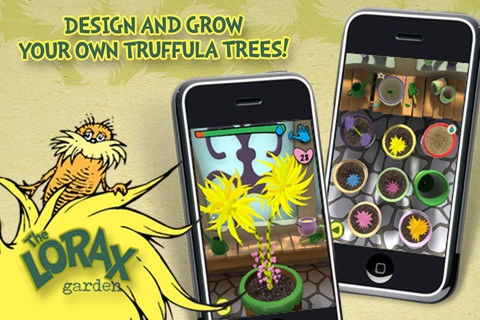
My kiddos also worked on the app, The Lorax Garden, which was free for Earth Day but is now 99 cents. In this app, students help the Lorax regrow the Truffula Tree forest. This was a great tie-in with our current science unit on Organisms as we had recently planted seeds in our classroom. Students are checking on their virtual gardens first thing every morning and before recess to continue to water them and watch them grow.

Wednesday, April 18, 2012

Each group member went into the the stampers and chose an item that they wanted to purchase and stamped it on their screen. They then saved their group picture to the Photo Album of the iPad. Next, students opened up an app called Educreations, which is basically an interactive whiteboard, and imported their picture from the Photo Album.
 Next students each chose a money card which had various coins on it. We grouped them into easy, normal, and challenging so we could modify for all of our learners. Students then counted the coins on their card and then wrote that amount next to their item.
After they completed this step they needed to work as a group to create a number story that would work with their items and record it using the app.
Once everyone was done, each group presented their stories to the class using their iPad. The stories were fantastic- lots of creativity and the learning was right on target. The groups were so engaged that many of them actually had time to create 2, 3, or 4 different number stories! All in all I would say the entire process including modeling took us 35-45 minutes.
Tuesday, April 3, 2012
Autism Awareness Month

April is Autism Awareness Month and Kindergarten.com is again offering many of their iPhone/iPad apps for FREE during the entire month of April. These are fantastic apps that use Applied Behavioral Analysis (ABA) to teach academic, language, and communication skills to children with special needs or developmental delays. These apps are not just for children with special needs; they have also been successfully used with typical children of all ages and populations. I have personally used some of these apps with my son and had great success with them. Thank you Kindergarten.com for your generosity and for all of your great apps!
The free apps include:
- ABA Flash Cards: Alphabet
- ABA Flash Cards: Emotions
- ABA Flash Cards: Things You Eat
- ABA Flash Cards: Earth Science
- ABA Problem Solving Game: What Rhymes?
- ABA Problem Solving Game: Which Go Together?
- ABA Flash Cards: Vehicles
- ABA Receptive Identification
- ABA Flash Cards: Zoo Animals
- ABA Receptive Identification: By Class
- ABA Flash Cards: Things You Wear
- ABA Flash Cards: Actions
- ABA Flash Cards: Vegetables
- ABA Flash Cards: Sports
- ABA Flash Cards: Famous Places
- ABA Flash Cards: Fruits & Nuts
- ABA Flash Cards: Shapes
- ABA Flash Cards: Musical Instruments
- ABA Flash Cards: Things You Play With
Another great resource is the Technology in (SPL) Education Facebook page. This website collects and distributes tools, hardware, and applications available for the enhancement off technology in education with a special emphasis on Special Education. This has been a great site to watch for price drops and apps gone free over the past few days.
 Yesterday for example in honor of World Autism Awareness Day, I was able to get the normally priced $49 Autism Track app for FREE. AWESOME! I am excited to learn how to use it and collaborate with my spec. ed. teacher in using it in our classroom next year!
Friday, March 30, 2012
3D Shape Hunt
This past week we spent several days learning about 3D shapes as part of our Geometry unit math. In past years I have found that students love this unit and there are many opportunities for hands-on learning when learning about polygons, symmetry and 3D shapes. This year I wanted to add a bit of a tech twist for my class by incorporating the use of our iPads.  In our current math series, there isn't much time spent on 3D shapes short of learning their names and characteristics- most of which is spent looking at wooden representations of these shapes or pictures in our math journal (boring!). So to spice things up a bit and make our learning more real-world, we went on a 3D shape hunt using the cameras on our iPads to find and photograph real-life examples of 3D shapes. Students worked in groups of three (we only have 5 iPads available to us) and had a check list of the shapes we had studied.


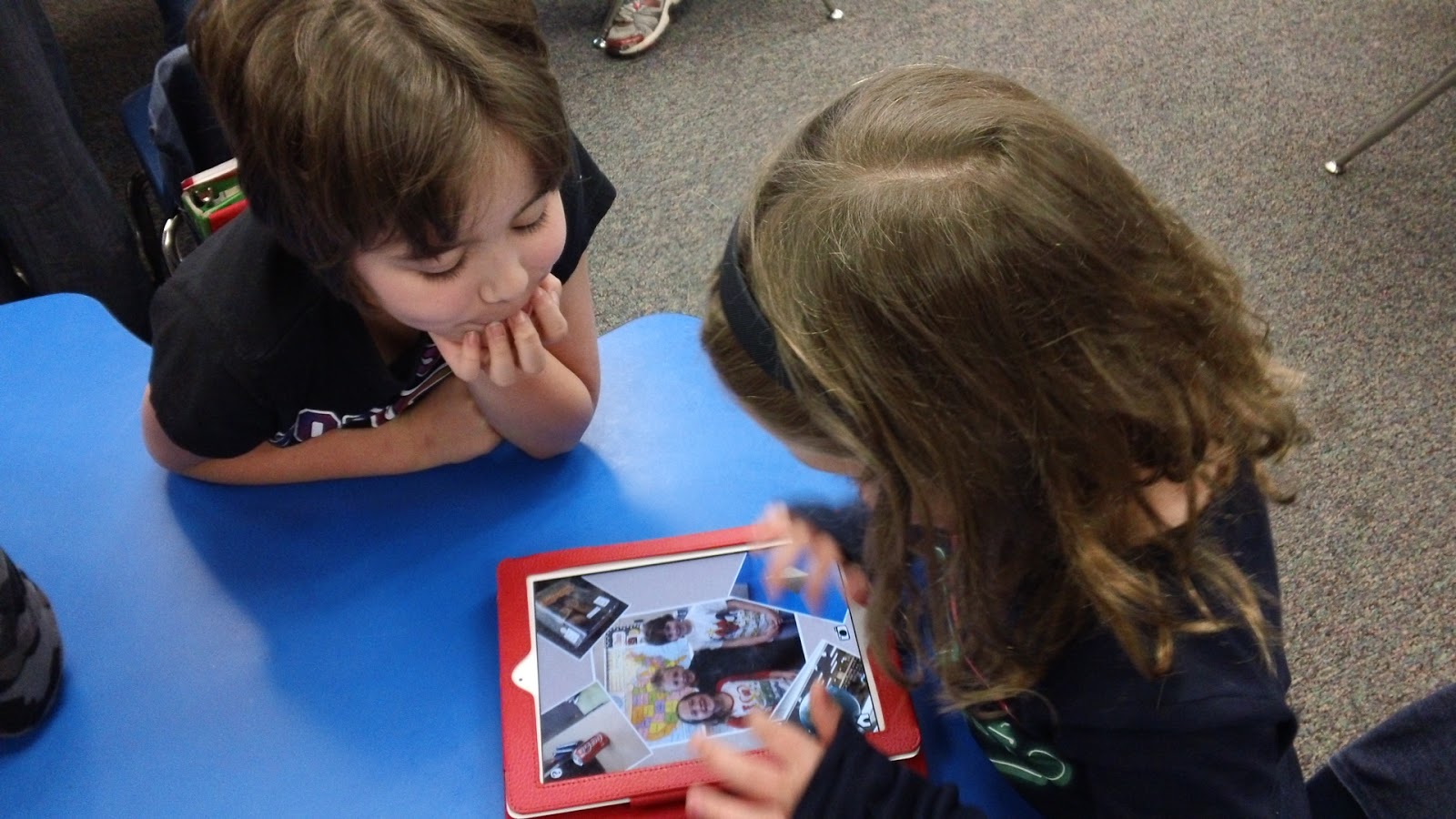 In our current math series, there isn't much time spent on 3D shapes short of learning their names and characteristics- most of which is spent looking at wooden representations of these shapes or pictures in our math journal (boring!). So to spice things up a bit and make our learning more real-world, we went on a 3D shape hunt using the cameras on our iPads to find and photograph real-life examples of 3D shapes. Students worked in groups of three (we only have 5 iPads available to us) and had a check list of the shapes we had studied.
The next day, I introduced them to the FREE app, Pic Collage. I spent about 10 minutes going through the important aspects of using this app as well as my expectations for their finished product. We discussed how to bring their pics into the app, how to move them around and resize them and how to insert text. Students then worked with their teams to import all of their pictures, label each one with the correct shape name, and then experiment with changing the background. Once they were happy with their creations, they emailed my their finished product to add to our classroom blog. With any extra time they had left, they were able to further explore the app and how to crop pictures, change the font and color, etc.
Here are some examples of our finished projects. THe kids had a blast while also showcasing what they had learned in a very hands-on and engaging way!


Wednesday, March 7, 2012
Do you believe in leprechauns?

Our question for the day was: "Do you believe in leprechauns? Yes? No? or Maybe?" We started by asking everyone in our class and recording their information.

 Our data was interesting and we found out that more of us believed in leprechauns than not. We were curious however if that would hold true if we asked others so each kiddo thought of someone in the building that they wanted to interview. Partners then headed off together to interview their people.
 When everyone returned, we talked about the next step which was to create a bar graph of our information. We then analyzed our data and again discovered that most people believed in leprechauns. We also dug into our data a bit more and found the differences between our data. Some student's graphs showed that 9 more people believed in leprechauns than not.
 This activity was a great way for my students to not only apply their mathematical thinking but for them to also incorporate skills such as interviewing, speaking loudly and clearly, working with a partner and several others.
Subscribe to:
Posts (Atom)